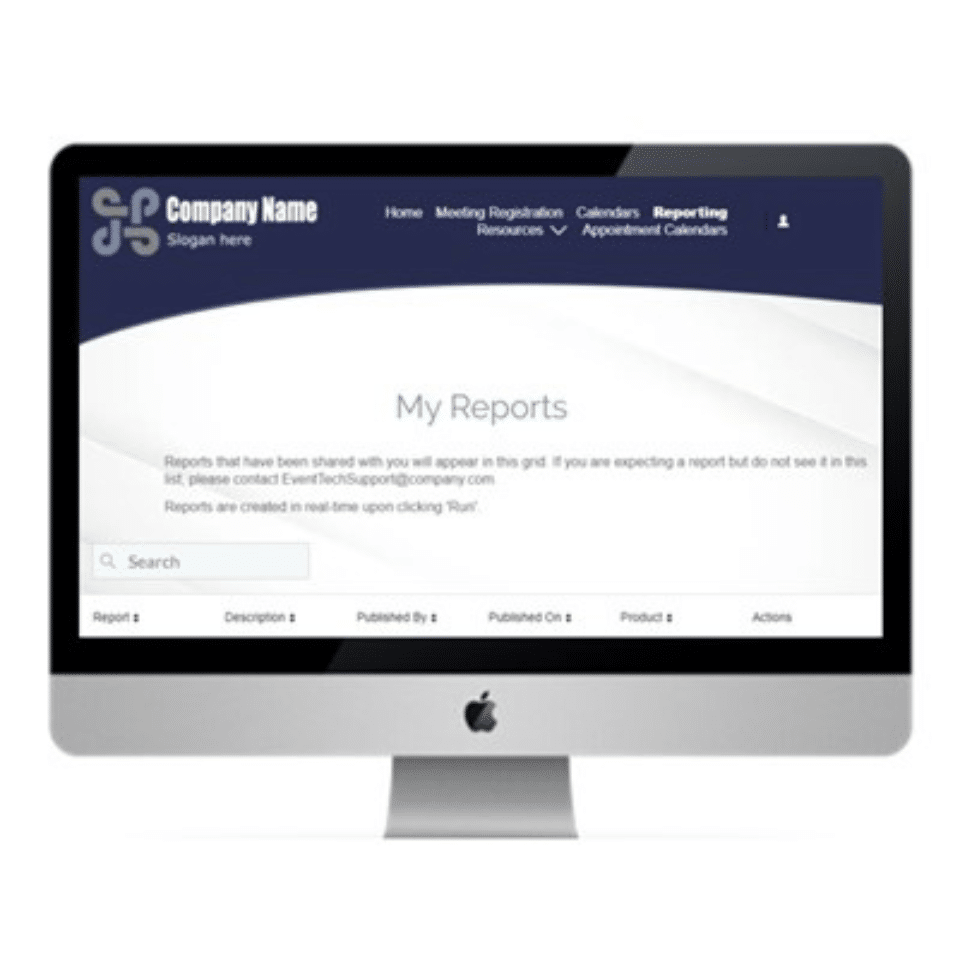
If you’ve recently logged into Cvent to create a report, you probably noticed things have changed a bit. Back in 2019, Cvent introduced new, enhanced reporting functionality and advised users to begin transitioning in advance of the impending legacy (old) reporting phase-out.
Today, legacy reporting is no longer available in most accounts, yet many users are still trying to find their bearings in the new framework. Below are the top five questions the Intent Strategy Group (ISG) has fielded from our clients. We’ve provided our answers below to help Cvent users get acquainted with the new reporting.
Top Five Cvent Reporting Questions, Asked and Answered
Q1: Where did my old reports go?
Answer: For most accounts, legacy reporting has been turned off and legacy reports are no longer accessible. All reporting is now available only in the “new” reporting framework. If you need assistance rebuilding reports or learning more about how to use the new reporting features, please reach out to the ISG Team.
Q2: Can I create a custom report from scratch?
Answer: The wizard used to create a custom report from a blank slate is no longer available. However, Cvent designed new report templates as a better starting point from which further customization is possible.
Here are a few tips to ease the report building process:
- Select a report that has the bulk of what’s needed. E.g., select the Invitee and Registrants Details report for event invitee information.
- If you need to see what the report looks like, click “Run” to view it, then edit it to your specifications.
- If you want to update it before viewing it, click the “Edit then Run” option.
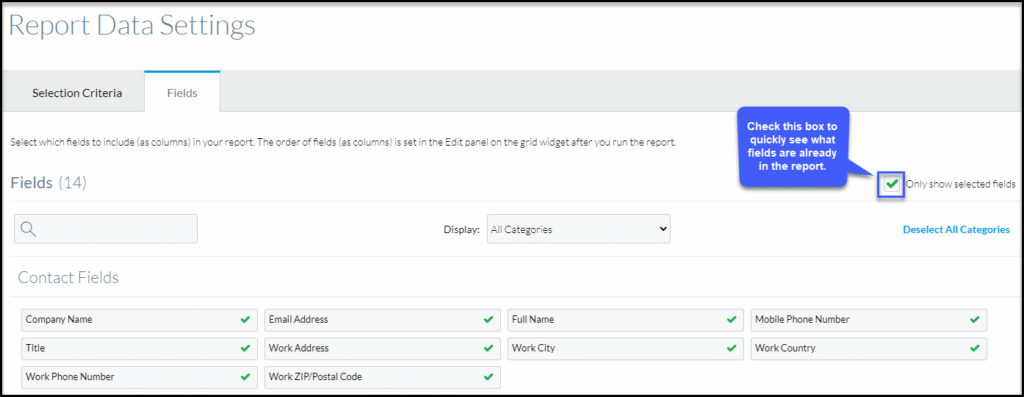
- Within the Report Data Settings, you can easily see which fields are included in the report template by selecting “Only show selected fields.” You can also select the fields you want to include or exclude in your report here.
- Once you have designed your report, select “Save As” and name it to easily locate the report under your saved reports section.
Q3: How do I reorder the columns in my report?
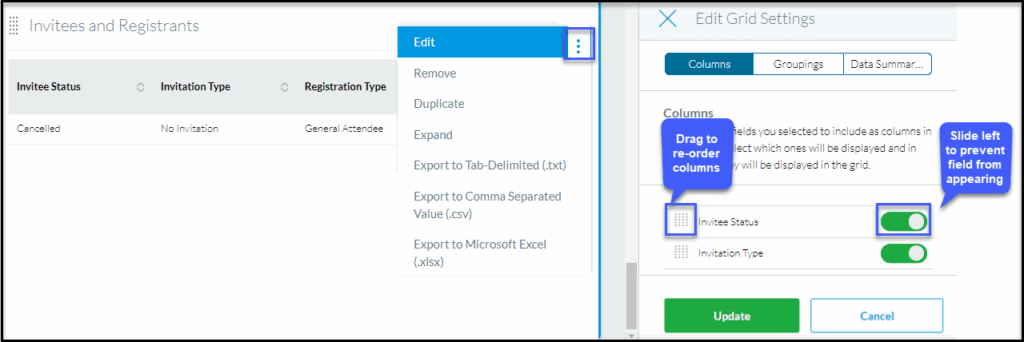
Answer: On the top right of your report screen, you will see 3 vertical dots.
- Click “Edit” to open the menu, then select “Columns.”
- From here, drag and reorder your columns.
- If you want to include a column (and its data) in the report but keep it hidden, slide the toggle off to hide that column.
- Remember to save your report if you want to use it again in the future!
Q4: Who can see my report when I save it?
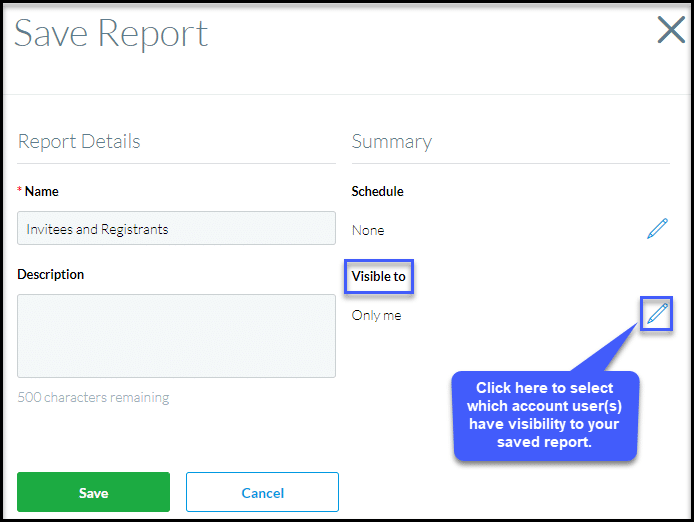
Answer: You can control which Cvent account users have visibility to your report upon saving it by selecting one of these three options:
- Visible to Only me – no one but you will see the report.
- Visible to All users – the Cvent account users who have access/visibility to your event or cross event reporting will see the report.
- Visible to Select users – you can select specific users who can see your report.
Want to know how to make your report available to non-Cvent account users? See Question 5: Can I park my report?
Q5: Can I park my report?
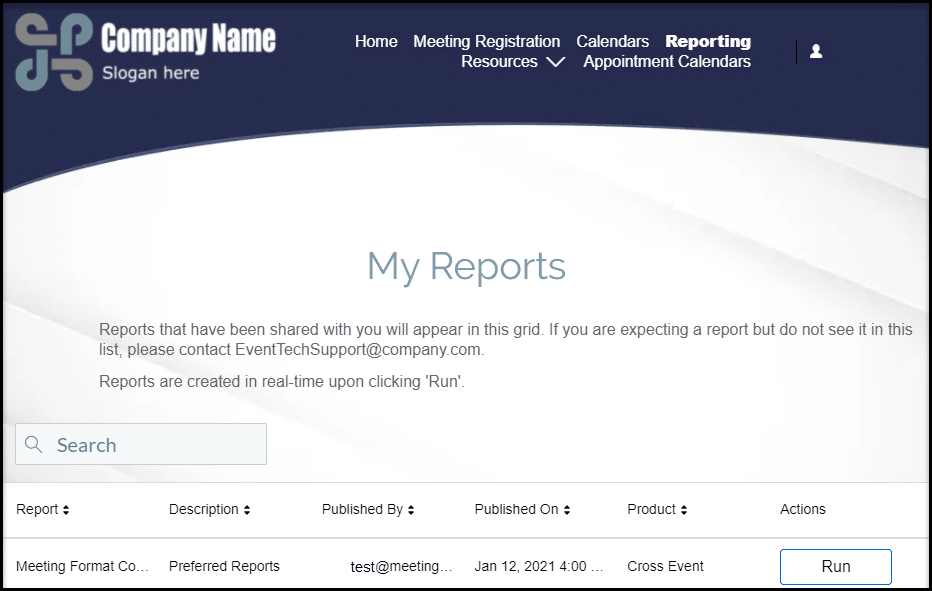
Answer: Parked reports and groups were Legacy reporting features that have been replaced by publishing reports into the new Access Portals. While parked reports no longer exist, the new Access Portals reporting provides the ability for users to share real-time reports with stakeholders who are not Cvent users. If you need assistance in setting up your Access Portal, the ISG Team can help!
More Questions?
Intent Strategy Group (ISG) is available to answer your questions about Cvent’s new reporting and more. Contact Us
Already an M&IW client? Contact your Client Success Manager for more information.
Contributors

Joann Fegley, System Administrator
Intent Strategy Group

Linsey Giant, Meetings Management Consultant
Intent Strategy Group
About Intent Strategy Group
Intent Strategy Group (ISG) is an independent consulting division of Meetings & Incentives Worldwide that guides organizations through the development of strategic event management programs as well as the optimization and implementation of meetings and event technology solutions. Learn more about Intent Strategy Group.